Phonics and morphology lesson packs for teachers
Download free systematic synthetic phonics (SSP) and morphology lesson packs, written by literacy specialists for Foundation to Year 2 students. Save time with ready-to-use, succinct lessons that support students to develop phonemic awareness and reading and spelling skills.
These classroom slides (with teacher notes) and printable student sheets are:
- aligned with the general capabilities in the Australian Curriculum Reading and Viewing sub-element Phonic knowledge and word recognition (Levels 3-8)
- aligned with the Literacy Hub phonics progression
- consistent with the Literacy Hub phonics instructional model, morphology instructional model and explicit instruction principles.
As you know your students best, you can adapt and edit these resources to meet the needs in your classroom.
At a glance
How to use these lesson packs
Use the lesson packs by following these steps:
- Download the lesson pack for each phase.
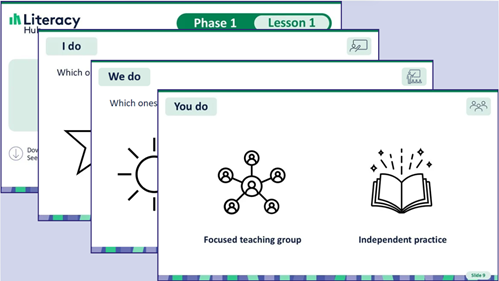
- Teach each lesson using the lesson slides and student sheet.
- After teaching each lesson, teach the corresponding upper-case letter as a mini-lesson. (Phases 1-5 only)
- Once you have taught all lessons in the phase, support your students' fluency using the decodable resources.
You can also download a Word document of decodable resources for all 24 phases in one file. - Assess student progress using the progress monitoring tools.
View the Literacy Hub's webinar recording for a detailed explanation of how to use the lesson packs.
You can also download the full set of Mnemonics to support spelling collated from the phonics lessons. These slides can be used to review spelling generalisations, create displays for your classroom or to support students in intervention settings.
Assessment
To inform your teaching, monitor student progress using the PDF progress monitoring tool for that phase, available in each lesson pack download.
You can also download a PDF of the progress monitoring tools for all 24 phases in one file.
To analyse the results of your progress monitoring, download the progress monitoring tracker spreadsheet, which can hold data for all 24 phases.
Review of taught content
Each lesson (except for Lesson 1.1) includes a review of previously taught content. This content is listed in the review section on the lesson's title slide and is taught before the explicit teaching part of the lesson.
Most newly taught phonics and morphology content is reviewed in each of the following 6 lessons. Newly taught irregular words are usually reviewed in each of the following 4 lessons.
If your students need particular content to be reviewed more or less often, you can adjust this by editing the content on the slides.
Accessibility and inclusion
The lesson pack slides follow Website Content Accessibility Guidelines (WCAG) AA for colour contrast and alternative text; they can also be read by a screen reader.
If students with low vision are struggling with the grey font on the student sheets, edit the file to darken the text colour. Students can then complete the activity on a printout, or on a device by tracing over the letters with their finger.
The slides and student sheets can be edited to match a font for your jurisdiction or sector or a font that meets your students' accessibility needs.
The lesson packs can be used across tiers of intervention, in whole-class, small-group or one-on-one settings.
For more information on inclusion, visit student learning support.
SSP professional learning
These evidence-based lessons follow a systematic synthetic phonics approach. If you’re new to this area, you might like to find out more about how to teach these lessons through the Literacy Hub’s professional learning topics.
Technical pointers
- The font used in these lesson packs requires Microsoft 2022 (or later). If your system is older, the font may not appear as intended. In this case, you may like to change the student-facing letters to the font recommended by your local jurisdiction or sector.
- When you download the lesson packs, a zip file will appear in your downloads folder. Unzip or extract the files before using them to ensure they display correctly.
- The lesson pack files have been developed to be used in the application version of Microsoft Word or PowerPoint; if you view them online in your browser, formatting and fonts will not display correctly.
For technical assistance, contact your school's IT support team.